


FAQ
Technical Support
Welcome to our simplified technical support page! Find quick solutions for core product series below. For further help, contact our team via the details at the bottom.
1. Lighting Series
Covers LED Lighting, Smart Lighting, Solar Lighting (including Christmas Lights)
FAQs & Quick Fixes
- LED Light Not Turning On: Check power connection and socket. Replace bulb if needed; faulty driver may require after-sales.
- Smart Light Won’t Connect to APP: Ensure same Wi-Fi network, restart device/APP, re-pair (long-press light switch 3-5s to enter pairing mode).
- Solar Lighting Short Usage Time: Place solar panel in direct sunlight (6-8hrs charging), clean dust, replace battery if over 1 year old.
- Christmas Lights Flicker Abnormally: Check mode switch, ensure full battery, dry if wet.
Basic Operation
- LED Lighting: Install, connect power, use dimmer switch (if applicable).
- Smart Lighting: Download APP, pair with blinking light, control via APP (switch, brightness, timers).
- Solar Lighting: Fix solar panel (south-facing in Northern Hemisphere), connect to light, auto-charge by day/light up at night.
2. Smart Products
Combines Smart Home Devices (including Pet Appliances) & Smart Electronic Products (smart bracelets, speakers, tablets)
FAQs & Quick Fixes
- Device Won’t Connect to Network: Confirm 2.4GHz Wi-Fi (for smart home), check password, restart router/device.
- APP Control Failure: Update APP, clear cache, re-add offline devices.
- Pet Feeder Not Feeding: Check food supply (avoid clumping), verify timing settings, clean blockages.
- Smart Bracelet Won’t Charge: Clean charging interface, use 5V charger, check cable integrity.
- Tablet Freezing/Crashing: Close background apps, clear cache, update system/apps.
Basic Operation
- Smart Home/Pet Appliances: Download APP, pair device (enter pairing mode via reset button), control via APP/voice assistant.
- Smart Electronics: Charge device, pair with phone (Bluetooth/Wi-Fi), use pre-installed functions (fitness tracking for bracelets, voice commands for speakers).
3. Solar Series
Includes solar chargers, solar panels, solar energy storage devices
FAQs & Quick Fixes
- Solar Charger Not Charging Devices: Ensure panel is fully exposed to light, check cable and interface compatibility.
- Energy Storage Device Battery Life Drop: Full charge (12hrs first use), reduce high-power devices, replace battery after 3-5 years.
- Insufficient Solar Panel Output: Clean surface, adjust angle, shorten connecting wire.
Basic Operation
- Solar Charger: Unfold panel in sunlight, connect to device via compatible cable.
- Energy Storage Device: Connect panel to storage device (correct polarity), auto-charge in sunlight, discharge via USB/Type-C ports.
4. 3D Printing Products
Covers 3D printers, 3D printing materials (PLA filament, resin)
FAQs & Quick Fixes
- Nozzle Clogging: Pause printing, cool nozzle, clean with needle; use high-quality dry material.
- Model Delamination/Warping: Adjust temperature (PLA: 190-220℃, ABS: 230-260℃), level bed, heat bed (50-100℃).
- Material Breaking During Feeding: Avoid tangles, use compatible diameter (1.75mm/3mm), keep material dry.
Basic Operation
- Prepare Printer: Install nozzle, level bed, clean surface.
- Slice & Print: Import STL file to slicing software, set parameters, transfer to printer via SD card/USB, start printing.
- Post-Processing: Remove supports, sand/polish model if needed.
Contact Us
- Technical Support Hotline: +86 199(591)00139 (Mon-Sun 9:00-21:00)
- Online Customer Service: Click "Online Support" on our official website
- Email: support@sotechlife.com(reply within 24 hours)
- Warranty: 1-3year warranty for most products (6 months for batteries/motors); non-human damage covered.
Related Products
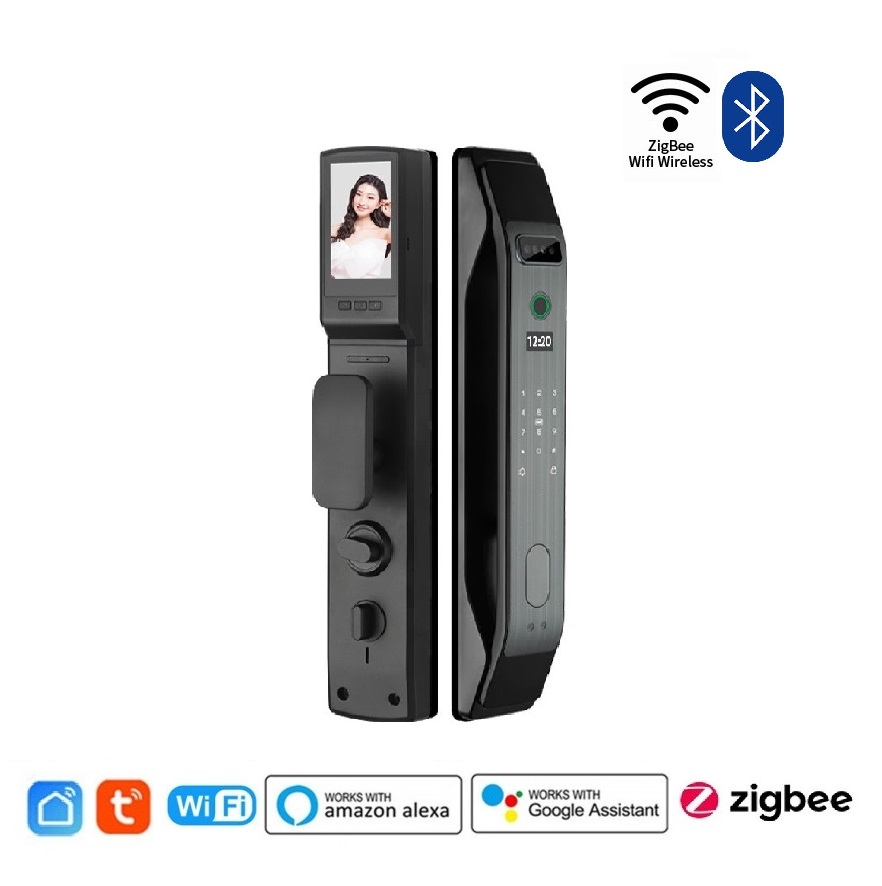
smart home lock
please Log in To check the price